
This post provides details on how to setup the club projector to handle apple devices (Macbooks/Ipads… ).
On Wednesday 26th November 2025, Nick Hodgson presented his documentary work “Coal free-mining in the Forest of Dean” using a Macbook Pro and we all noticed a significant green cast to the material presented. Nick persevered but there was clearly something wrong. We tried to fix this on the night but didn’t manage to solve the issue. The issue related to the way the projector was handling video from his Mac, we’ve sinced tried this with another Macbook Pro and and an Ipad – both exhibiting the same problem. The fix is to set the image color setting to either. YUV or Auto vs the RGB setting it was on – details below.
Firstly go into the settings for the projector
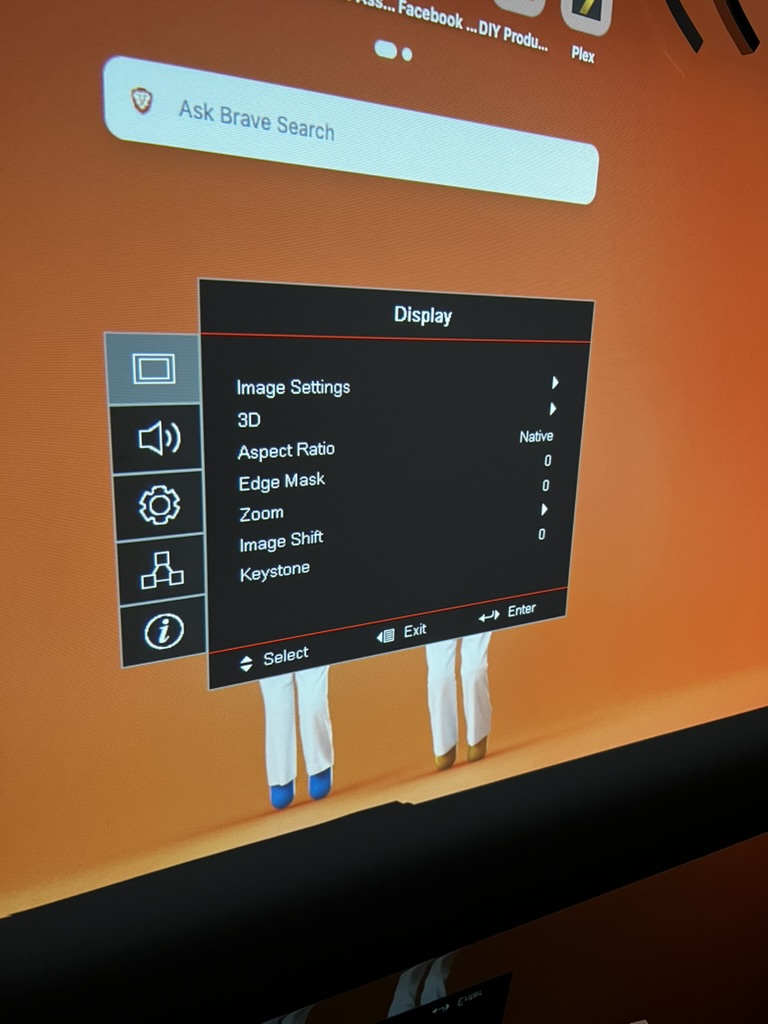
Go into image settings and check Display Mode is set to sRGB
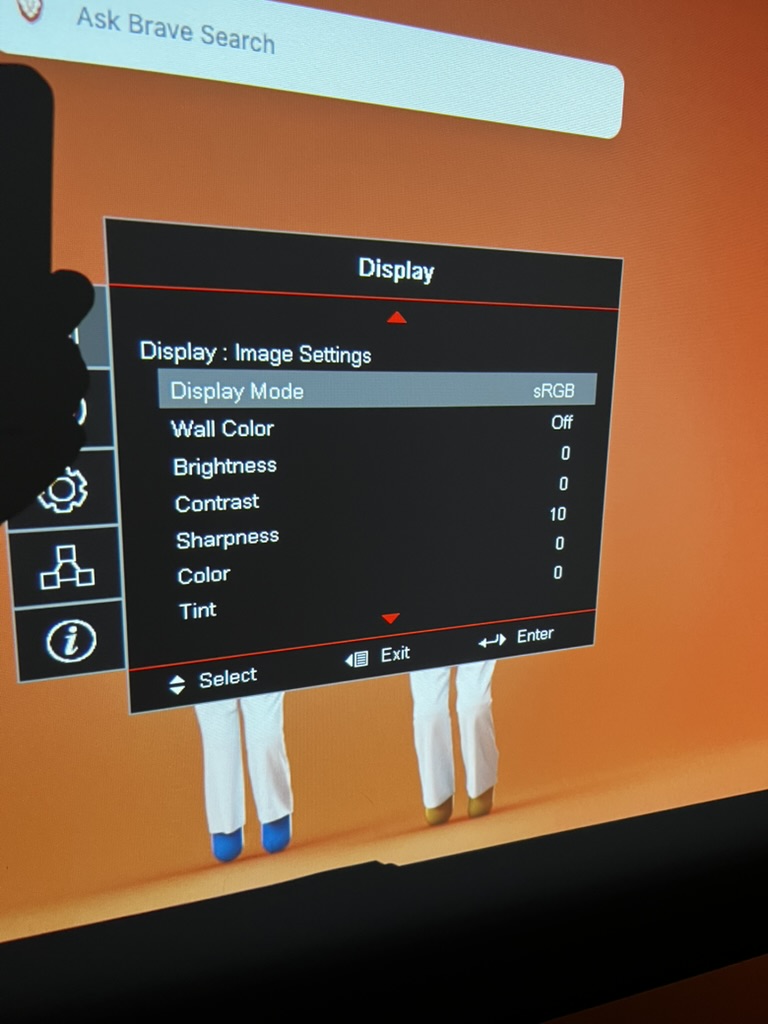
Then scroll down past Tint till you see Color settings
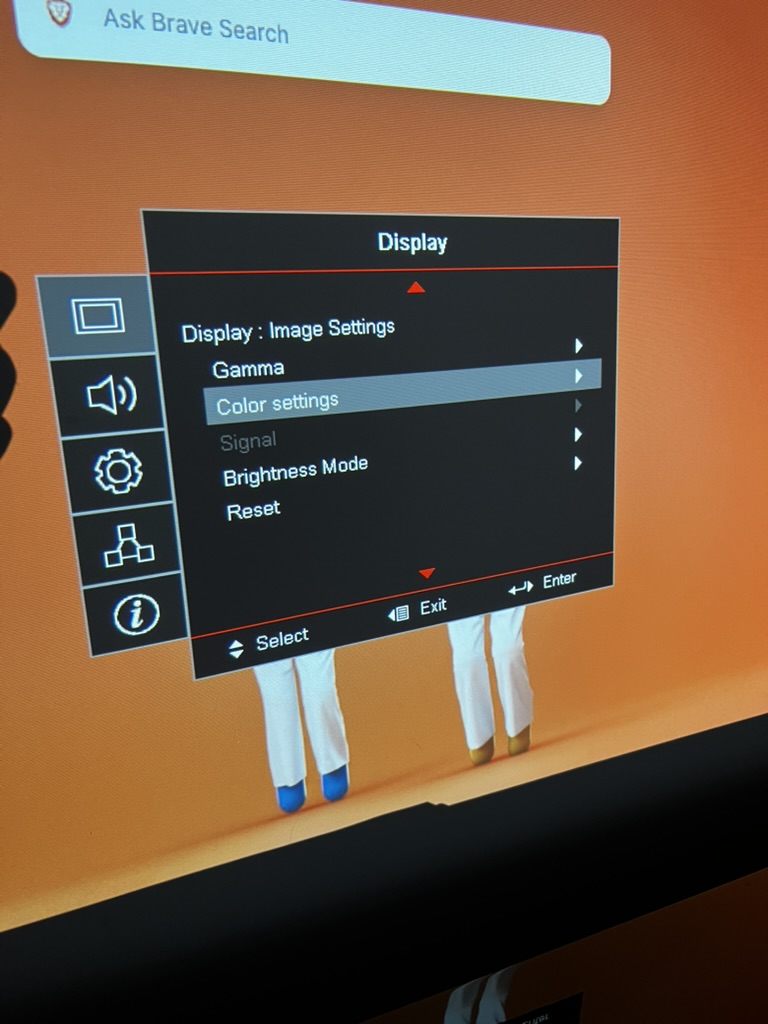
Then scroll down to Color Space and make sure it’s set to Auto or YUV
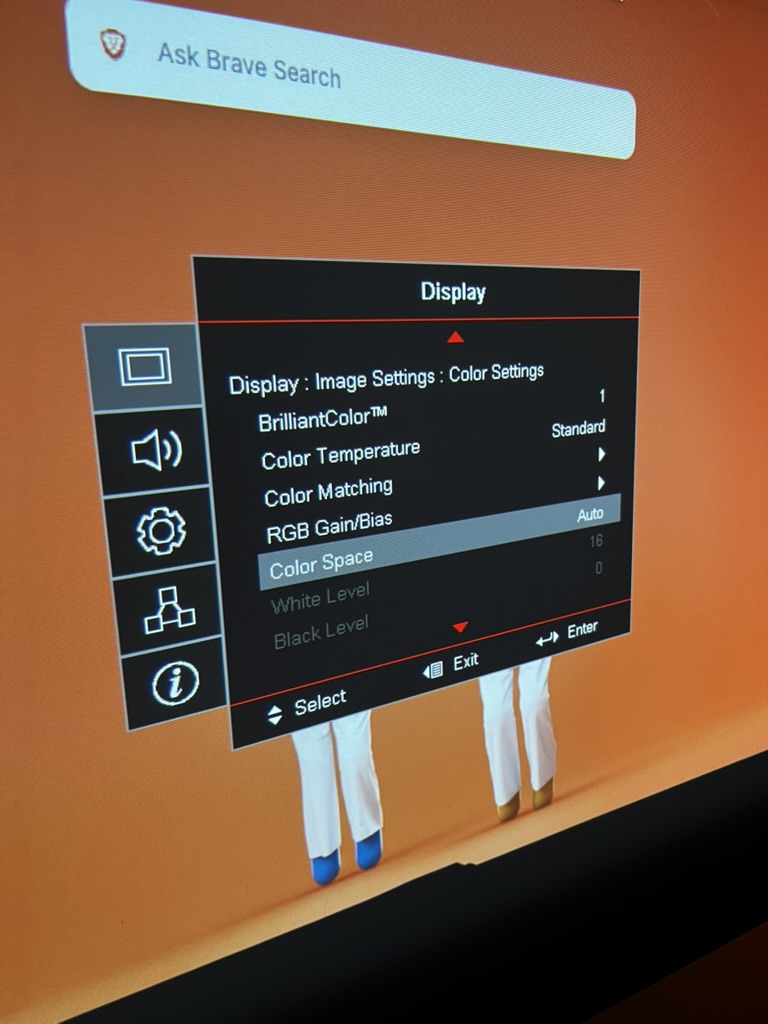
Keep pressing the ‘Right Arrow’ and you’ll cycle through the options.

Recent Comments